Blockscout Autoscout Wizard Cuts Explorer Setup to an Instance Name and RPC URL
| Shelf | Ethereum & Altcoins |
|---|---|
| Date in | |
| Readers | 921 |
Autoscout now detects chain configuration from an RPC endpoint, while deployment still takes 2–10 minutes and hourly pricing is unchanged.
Blockscout’s Autoscout Wizard reduces the information required to start a hosted block explorer to an instance name and an RPC URL. The change shifts chain-configuration work away from the person deploying the explorer: Autoscout says it detects several parameters from the endpoint, while the explorer is brought online and begins indexing.
Autoscout previously asked users to enter a broader set of details, including chain ID, chain name, currency information and rollup configuration. Those fields were organized across Info, Branding and Rollup config tabs. The hosted service had already removed the need to provision and operate explorer infrastructure independently, but completing its setup form still required users to know and supply chain-specific settings.
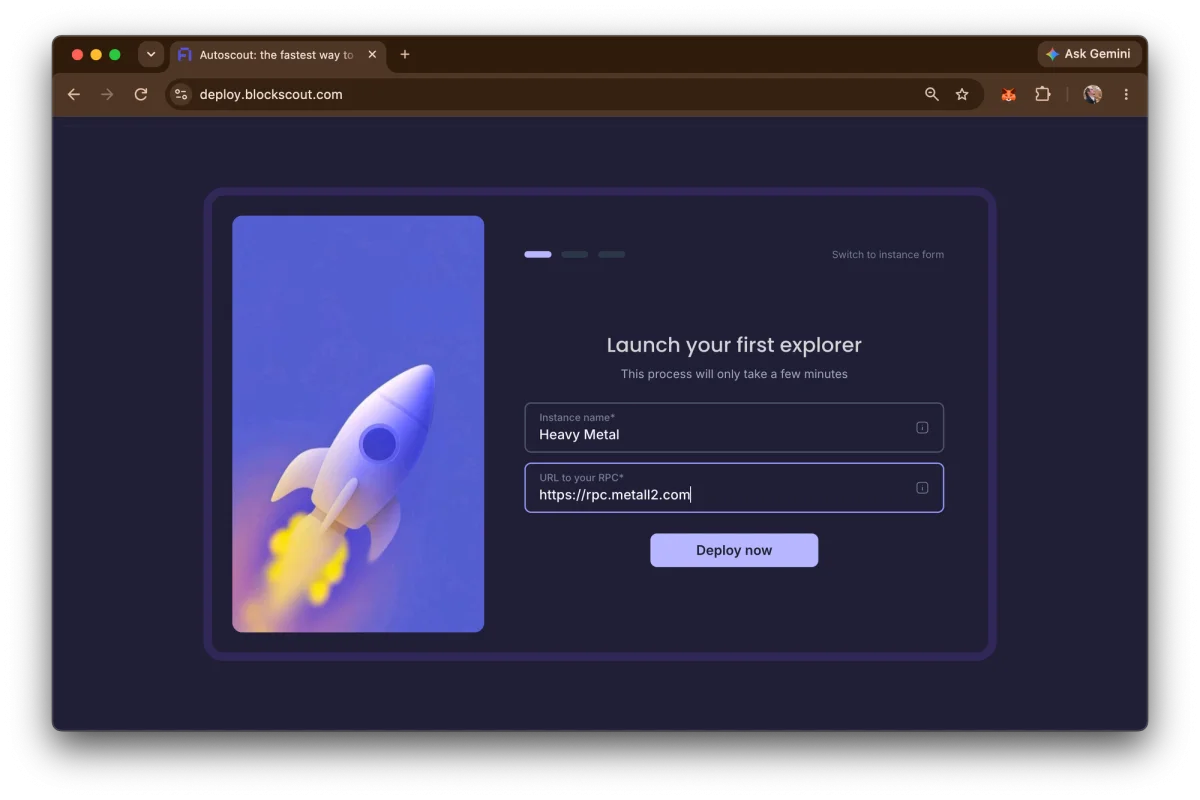
- Enter a name for your explorer
- Enter your RPC URL
- Sit back and enjoy the magic
Configuration inferred from the RPC endpoint
The wizard uses the RPC endpoint to fill in information that users previously entered themselves. Blockscout says this includes identifying whether a chain is an Optimism, Arbitrum or zkSync rollup, along with its settlement chain, batch storage type and hardfork upgrade timestamps.
That makes the endpoint the central input to setup, rather than a complete set of manually supplied chain parameters. For teams deploying an explorer, this can reduce the number of details they need to gather before starting. It also means the accuracy of the initial configuration depends in part on the information Autoscout can obtain from the RPC endpoint. The source does not describe how the wizard handles missing or conflicting data, so users should check the resulting instance rather than assume every detected setting is correct.
Branding is deliberately limited at first. A newly deployed explorer receives basic branding, and users can later add logos, select color schemes and adjust layouts while the chain is indexing. Other details can also be updated after deployment. This separates the initial task—getting the explorer running—from the subsequent work of tailoring its appearance and configuration.
Deployment stages and timing
Users can access the wizard at deploy.blockscout.com after signing up or logging in. For an account without running instances, the wizard appears first. Existing users can start another deployment with the Add new instance button.
Once the instance details are submitted, the wizard displays the stages involved in starting the explorer. The listed work includes bringing up the instance, configuring its database, deploying the API and indexer, applying basic branding and running final checks.
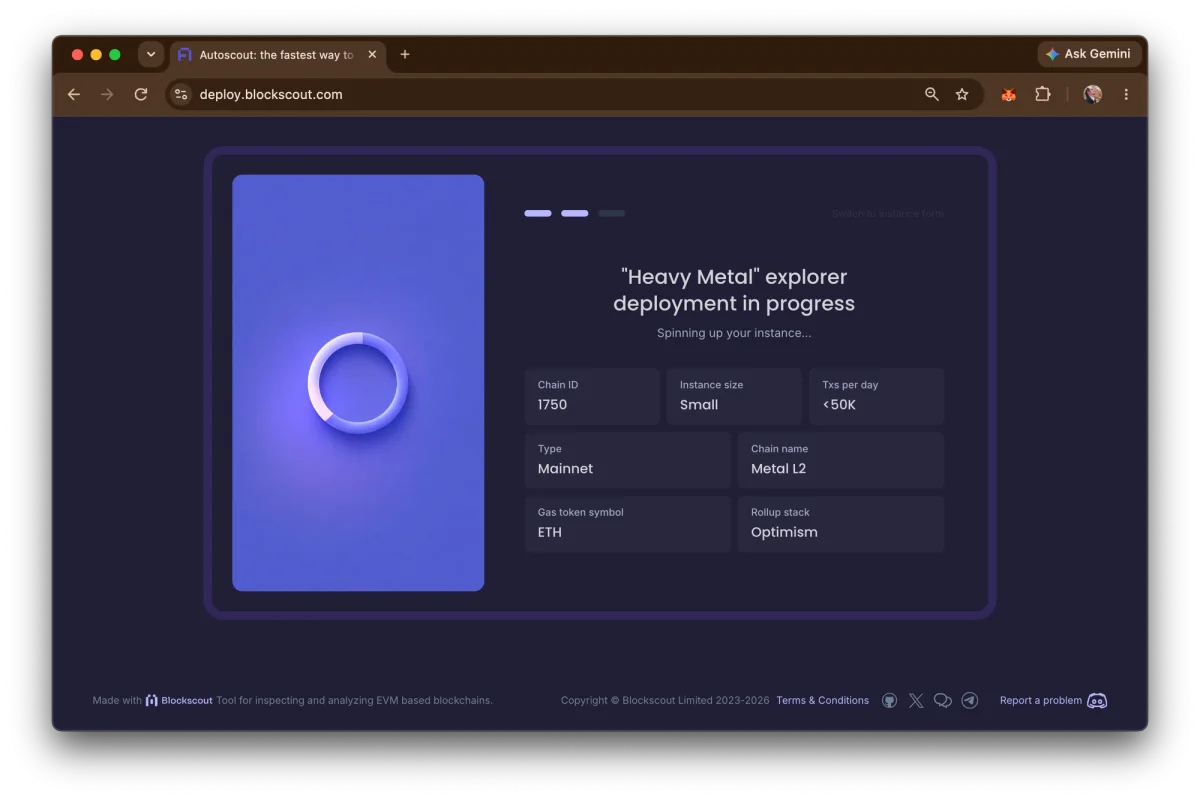
Blockscout gives an initial deployment estimate of 2–10 minutes, depending on the chain. That window covers a sequence of infrastructure and indexing-related tasks, rather than just the submission of the two fields. The wizard makes setup shorter, but it does not remove the need for a working RPC connection: the endpoint is both the key input and the source used to detect chain settings.
For developers and teams, the practical distinction is between reducing setup effort and eliminating operational dependencies. Autoscout manages the explorer deployment, but the user still needs an RPC URL suitable for the chain and should review the instance once it is available. The article points users seeking RPC information for an existing chain to Chainlist.
Hourly pricing remains in place
The wizard does not change Autoscout’s pricing model. Instances use pay-as-you-go credits and are billed hourly according to size. The published tiers pair daily transaction-volume descriptions with hourly, daily, weekly and monthly costs:
| Size | Hourly | Daily | Weekly | Monthly |
|---|---|---|---|---|
| xSmall (brand new chain) | $0.35 | $8.50 | $60 | $252 |
| Small (<50K tx/day) | $0.485 | $12 | $84 | $349 |
| Medium (<150K tx/day) | $0.972 | $24 | $168 | $700 |
| Large (<1M tx/day) | $1.32 | $32 | $224 | $950 |
The listed tiers give teams a basis for comparing instance sizes, but the article does not specify how usage is monitored or how a change in transaction volume affects an instance’s size. Those operational details matter when estimating ongoing costs, so the published figures should be read alongside the service’s account and instance information.
Less form-filling, with the endpoint still central
The main change is a smaller entry point: users no longer need to provide the full set of chain parameters before deployment. Autoscout now handles detection for several configuration fields, then allows branding and other details to be adjusted after the explorer is indexing. The result is a shorter path to a hosted explorer, with RPC availability and verification of detected settings remaining important parts of the process.